
JPEG and WebP can both store photographic images with lossy compression. The useful choice is not which format wins in every benchmark, but which output fits the software, audience, and visual details in front of you.
Choose JPEG for broad, familiar compatibility
JPEG is widely accepted by image viewers, document tools, upload forms, and older workflows. It is a practical default for opaque photos when you do not control the receiving software. JPEG has no alpha channel, so it cannot preserve transparent areas.
Repeated JPEG encoding can accumulate artifacts around edges and fine texture. Keep the source file and create a new derivative for each destination instead of repeatedly processing the last export.
Choose WebP when the destination supports it
WebP supports lossy photo compression and transparency. It can produce a smaller result for some images, but it is not guaranteed to beat every JPEG encoder or setting. Confirm that the website, application, or form receiving the file accepts WebP.
Quality slider values are not directly comparable between formats or browser encoders. Compare the downloaded files at their intended display size and inspect faces, gradients, text, and high-detail areas.
Make the decision from the output
Open the JPG to WebP converter and use Select images to add your original JPEG. The converter selects WebP output. Once processing finishes, compare the source and result sizes and check the output dimensions before choosing Download.
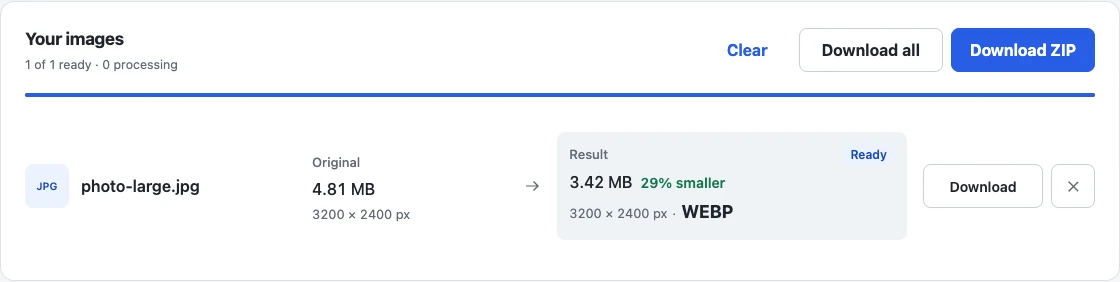
The result above comes from a generated gradient and illustrates where to check the format, dimensions, and file size. Its size change is specific to this sample; it does not predict savings or photo quality for your images. Open your downloaded WebP in the destination software and compare it with the original.
Browser re-encoding can remove or change EXIF and color metadata. If a strict upload cap matters, use the measured target-size workflow instead of assuming conversion alone will pass it. For the underlying controls, read how image compression works.