
PNG and WebP both support transparency, but they solve different practical problems. PNG is a dependable lossless format for interface graphics, diagrams, and screenshots. WebP offers lossless and lossy choices and can be smaller, but the destination must support it.
Keep PNG when exact pixel values matter
PNG is useful for sharp text, flat colors, line art, and alpha edges. Lossless encoding does not intentionally discard pixel information, but re-encoding a PNG is not guaranteed to make it smaller. A photographic PNG can remain large because lossless storage must retain detailed pixels.
This tool uses local PNG color reduction below quality 100. Fewer colors can reduce file size but may change gradients and semi-transparent edges. Quality 100 in Resize or Convert keeps all colors from the decoded image; it does not guarantee original metadata, pixel identity across browser decoding, or a smaller file.
Consider WebP for compatible destinations
WebP can retain alpha and may reduce file size for screenshots or mixed graphics. Lossy WebP can also introduce changes around text and edges, so inspect the result carefully. Compatibility is usually strong in current browsers, but upload forms and older desktop software can have narrower rules.
Preserve transparency deliberately
Never switch a transparent image to JPEG without choosing how transparent pixels should be flattened. The PNG to WebP converter preserves transparent areas, while JPG output rejects transparent input.
Use Select images to add a PNG. WebP is already selected on this converter page. The result shows the output format, dimensions, and measured file size; use Download to inspect the converted image at its intended display size.
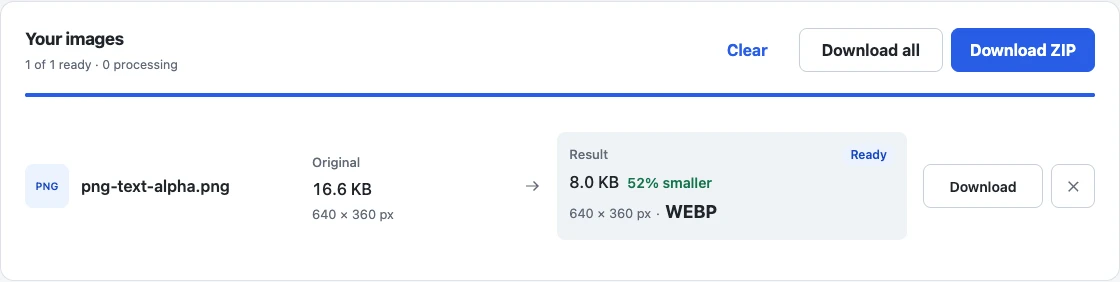
The generated text-and-gradient input used for this result keeps transparent pixels in the downloaded WebP. Transparency alone does not guarantee unchanged text or edge quality: place your own download over both light and dark backgrounds to check it.
Compare actual downloads rather than format reputation. Check transparency, small text, gradients, and destination support. See reduce screenshot file size for screenshot-specific advice and why compressed images stay large when lossless PNG output is still above a limit.